

What a gift shows you
Every gift on your tree carries the name its sender typed when they sent it. That is the whole system: senders don’t sign up, so there is no account or profile behind a name.
| If the sender… | Their gift says |
|---|---|
| Typed their name | That name, for example “Noah” |
| Typed a made-up name | Whatever they typed, like “Santa” or “Your secret admirer” |
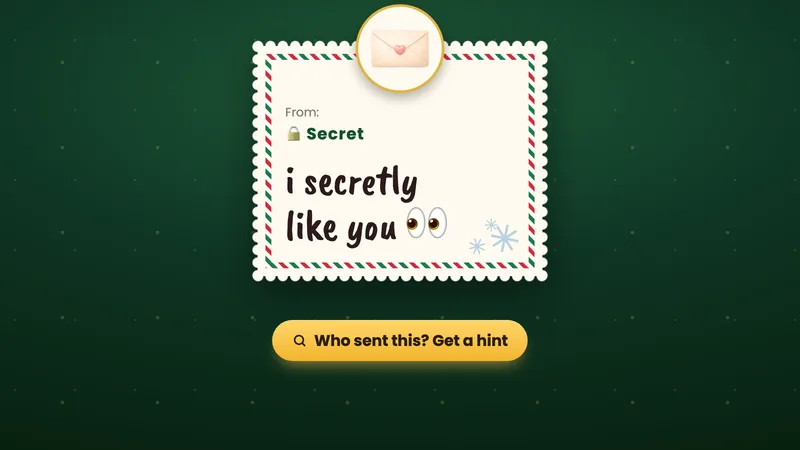
| Turned on Hide my name | “🔒 Secret” |
Names aren’t checked, so a gift signed “Santa” may well be from your cousin. Your visitors never see any of this: they see your tree, its topper, its name and how many gifts it has, but not the gifts, the names or the notes.
Why a hidden name stays hidden
When a friend turns on Hide my name on the send page, the name they typed never leaves their phone. Their gift goes out signed “🔒 Secret”, so no real name is stored anywhere for us, for you or for Pro to reveal later.
That is a promise to the person who sent it, and it is why we can’t make an exception, even for a lovely message you really want to answer.
What hints can tell you
With Pro, a gift sent from the website has a Who sent this? Get a hint button. A hint shows real details about where the gift came from, never a name:
- When the gift was sent
- The city it came from, as a rough area on a map, never a street or an address
- The kind of phone or computer, like an iPhone or a Samsung, when the browser shares it
- The app or browser it was sent from, like Instagram or Chrome
Gifts sent before November 6, 2026 and gifts sent from the Android app have no hints. On a 🔒 Secret gift the hint window says it plainly: Pro won’t show a hidden name. So a hint can narrow things down (“someone in Manchester, on an iPhone, from Instagram”), and the rest is up to you.
Fun ways to guess who sent it
- Check the timing. A gift that lands two minutes after you post your link on Instagram is from someone who watches your stories closely.
- Read it out loud. Spelling, emoji habits and favourite words give people away faster than anything.
- Look for inside jokes. A nickname or a memory only a few people share cuts the list down quickly.
- Put the hint next to your list. A city and a phone together often leave two or three names.
- Ask on your story. “Whoever sent the 👀 one, I see you” usually gets a reply, or at least a laugh.
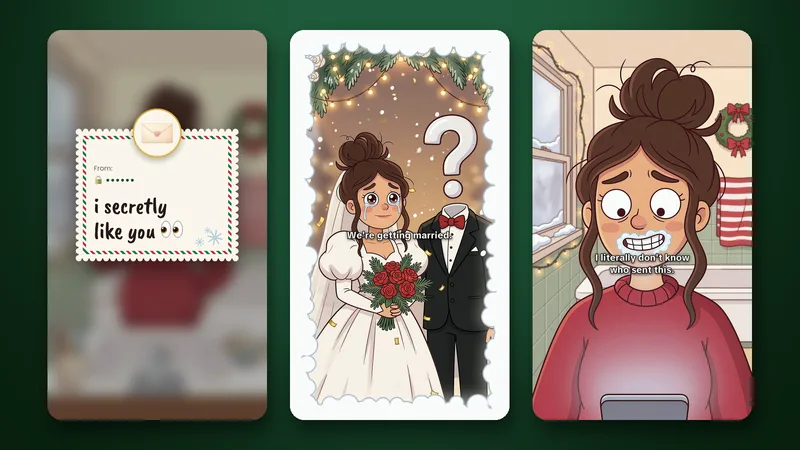
Then again, keeping the mystery is half the fun. Our short about it went exactly where you think it did:
If a message isn’t kind
Hidden or not, every message has a warning sign with options to report, block or delete it. Blocking doesn’t need a name, so it works on 🔒 Secret gifts too. More on reading and managing your gifts is in How to use Deco My Tree.
Sending one yourself
Want to be the mystery? Open your friend’s tree, tap Send Message, pick a gift, write your note and turn on Hide my name on the “From” line. Your name never leaves your phone, and your gift says “🔒 Secret”.
Two honest notes before you send: if your friend has Pro, a hint can show your city and the kind of phone you used, and your note itself can give you away. Stuck on the words? Here are messages for your crush.
Questions
Can Deco My Tree tell me who sent a 🔒 Secret gift?
No. The name a sender hides never reaches us, so there is nothing to tell. Hints with Pro show details like the city and the phone, never the name.
Does Pro show hidden names?
No. Pro adds hints to gifts sent from the website, and the hint window says it plainly: Pro won’t show a hidden name.
Can I see who sent a gift that has a name on it?
Yes, you see the name they typed. Names aren’t checked, though, so a friend can still sign as “Santa”.
Can my friends see who sent me gifts?
No. Visitors see your tree, its topper, its name and how many gifts it has. Only you see the gifts, the names and the messages.
Sources
Facts checked against these pages on .